Public API
Info
Who can use this feature?
- Available to all users on any plan.
Overview
The Chatty Public API gives you direct access to your store's customer data — things like contact details, chat history timestamps, order counts, and total spend. It's useful when you want to:
- Sync Chatty contacts into a custom CRM
- Send customer segments to an email platform
- Pull data into a spreadsheet or BI tool
- Build a custom dashboard or internal integration
If you're looking for ready-made integrations, check out Klaviyo, Zendesk, or Joy instead.
Generate your API key
Go to Settings > API in your Chatty dashboard.
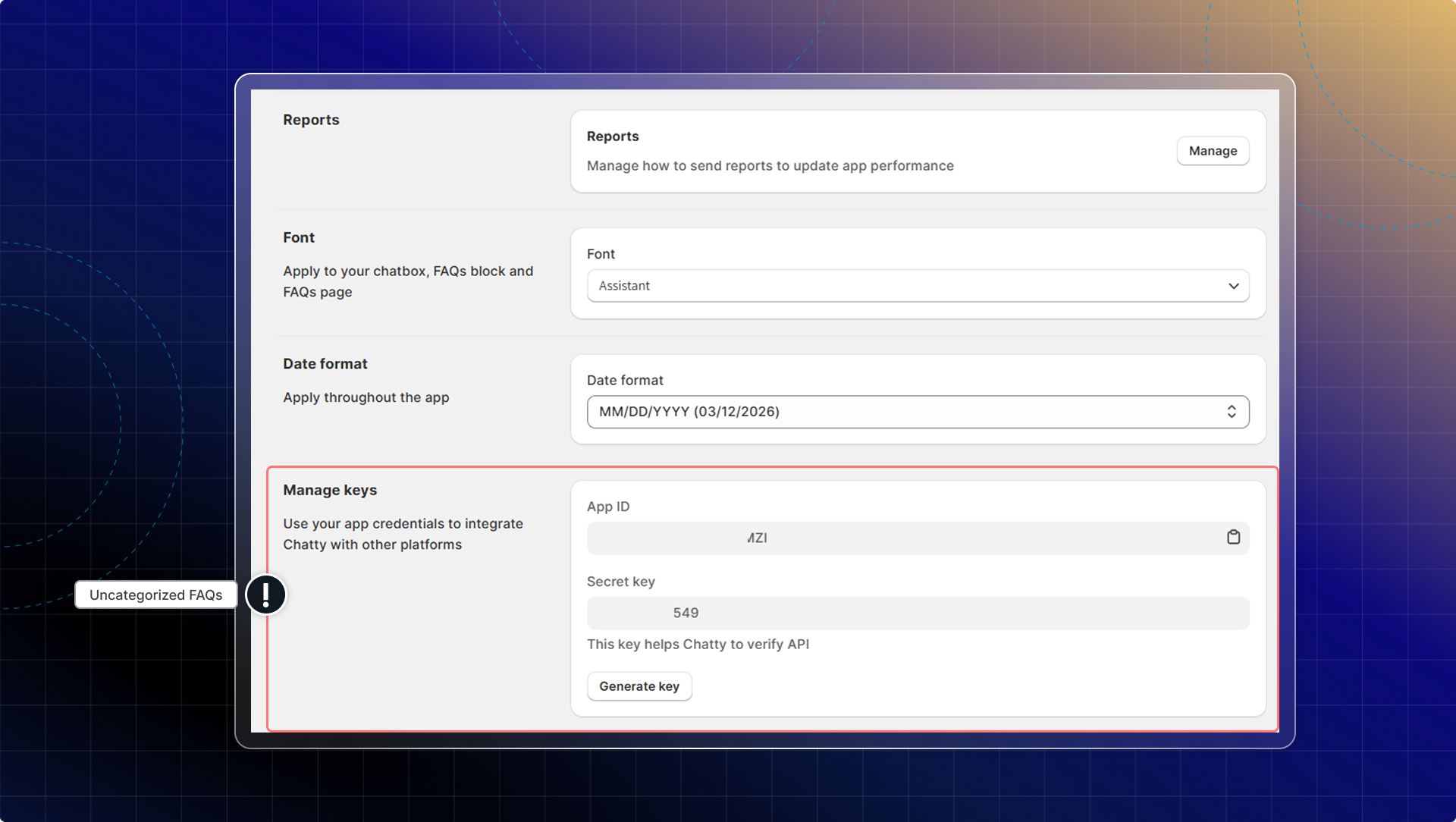
Click Generate key. You'll immediately see two credentials:
| Credential | What it's for |
|---|---|
| App ID | Your store identifier. Include this in every API request. |
| Secret key | Your private authentication key. Never share this publicly. |
Warning
Copy your Secret key right away. It's only shown once. If you lose it, you'll need to generate a new one — which immediately deactivates the old key.
If your key is ever compromised, click Generate key again to rotate it. The previous key stops working instantly.
Common use cases
Export contacts to a spreadsheet
Use the customers query with pagination to pull all contacts, then write them to a CSV.
Sync high-value customers to an email platform
Filter by totalSpent on your side and push matching customers to your email tool via its own API.
Build a custom CRM view
Use ordersCount, totalSpent, lastChatAt, and channels to segment and prioritize follow-ups.
Track engagement over time
Use lastChatAt and createdAt to measure how recently customers have been active in chat.
Need help?
If you run into issues with your API key or requests, contact the Chatty support team from your dashboard. For ready-made integrations without any code, see Klaviyo, Zendesk, or Joy.