Real-time translation
Info
Who can use this feature?
- This feature is available for the Pro plan and above.
- In the future, this feature will be limited to usage for all plans.
Real-time translation detects the customer’s language and lets you translate messages in Inbox.
Translate the customer message
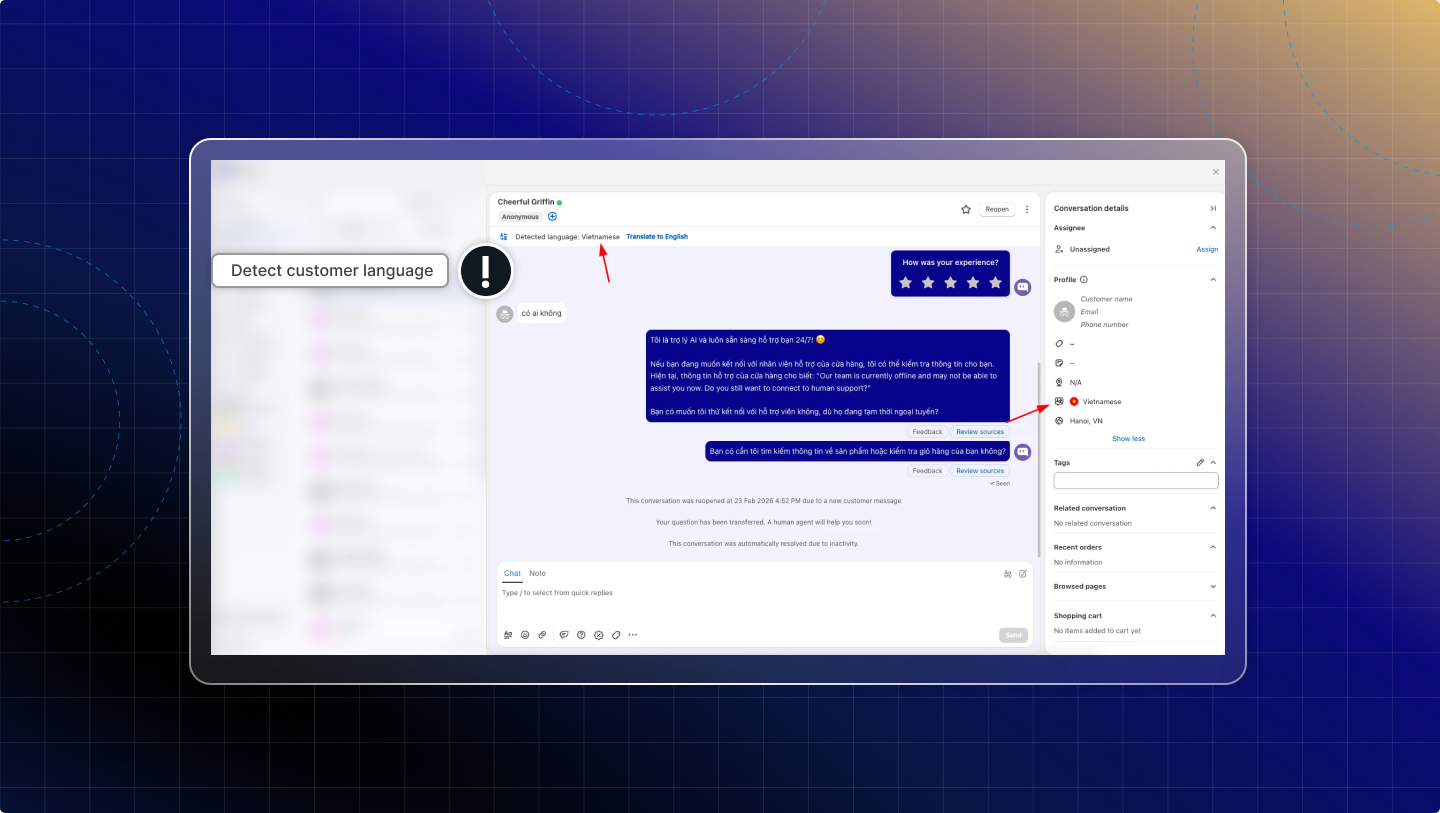
Detect customer language
Chatty automatically detects the customer’s language and shows it in the conversation and in the customer profile.
You can see the detected language while viewing the conversation.
Auto-translate new messages
When Translate is turned on, Chatty automatically translates any new customer message that comes in.
In Inbox, open a conversation.
Click Translate.
Chatty translates all customer messages to your default language (set in Settings → Translation).
You always see the latest customer message in your selected language.
If you want to stop translating, click Stop. Messages show in the original language again.
Live Translate
Live Translate helps you write a reply in your language and preview the translated version before sending.
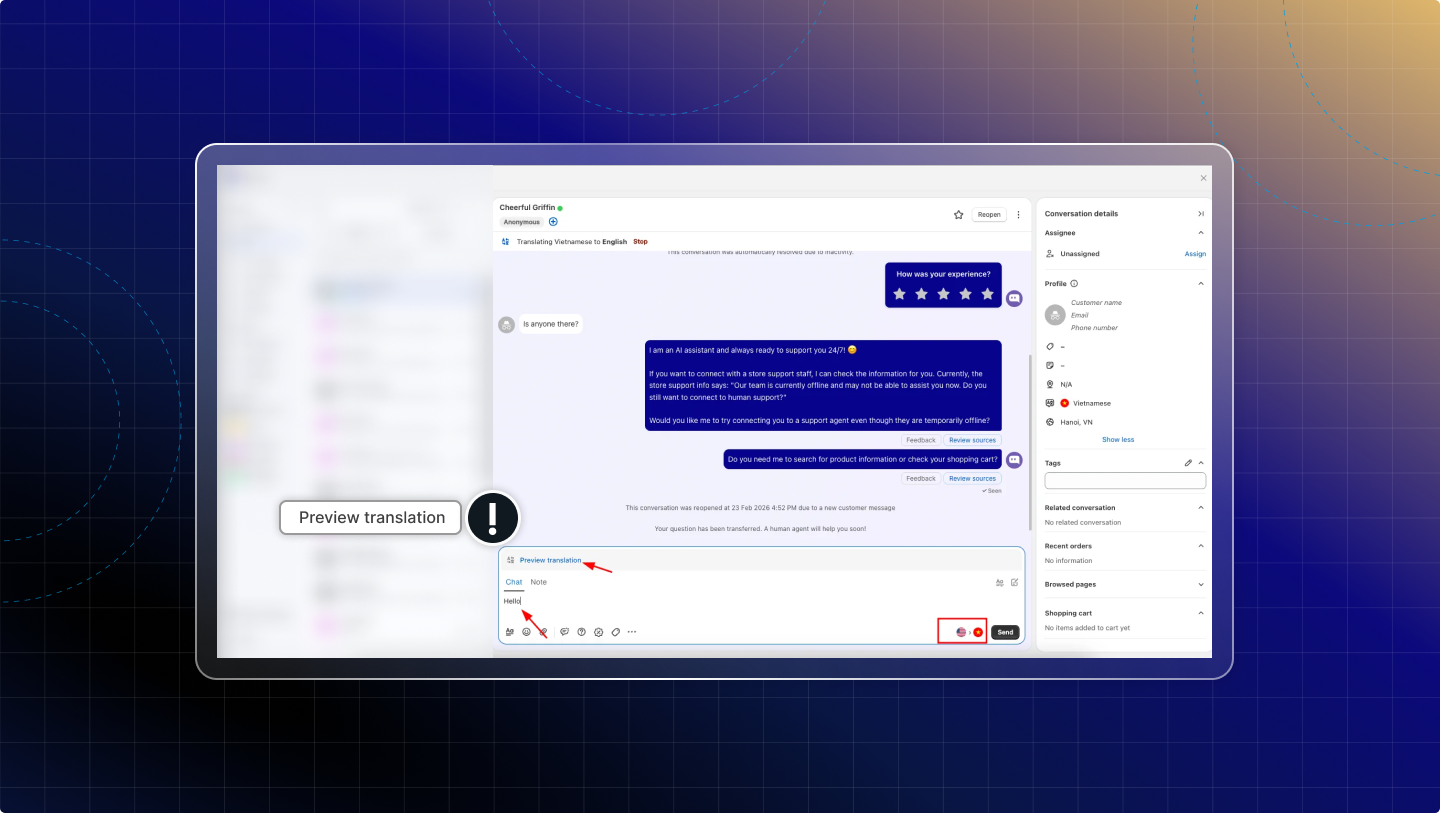
Preview translation
In Inbox, open a conversation.
Turn on Live Translate.
Type your message.
Click Preview translation.
A translated preview displays before you send.
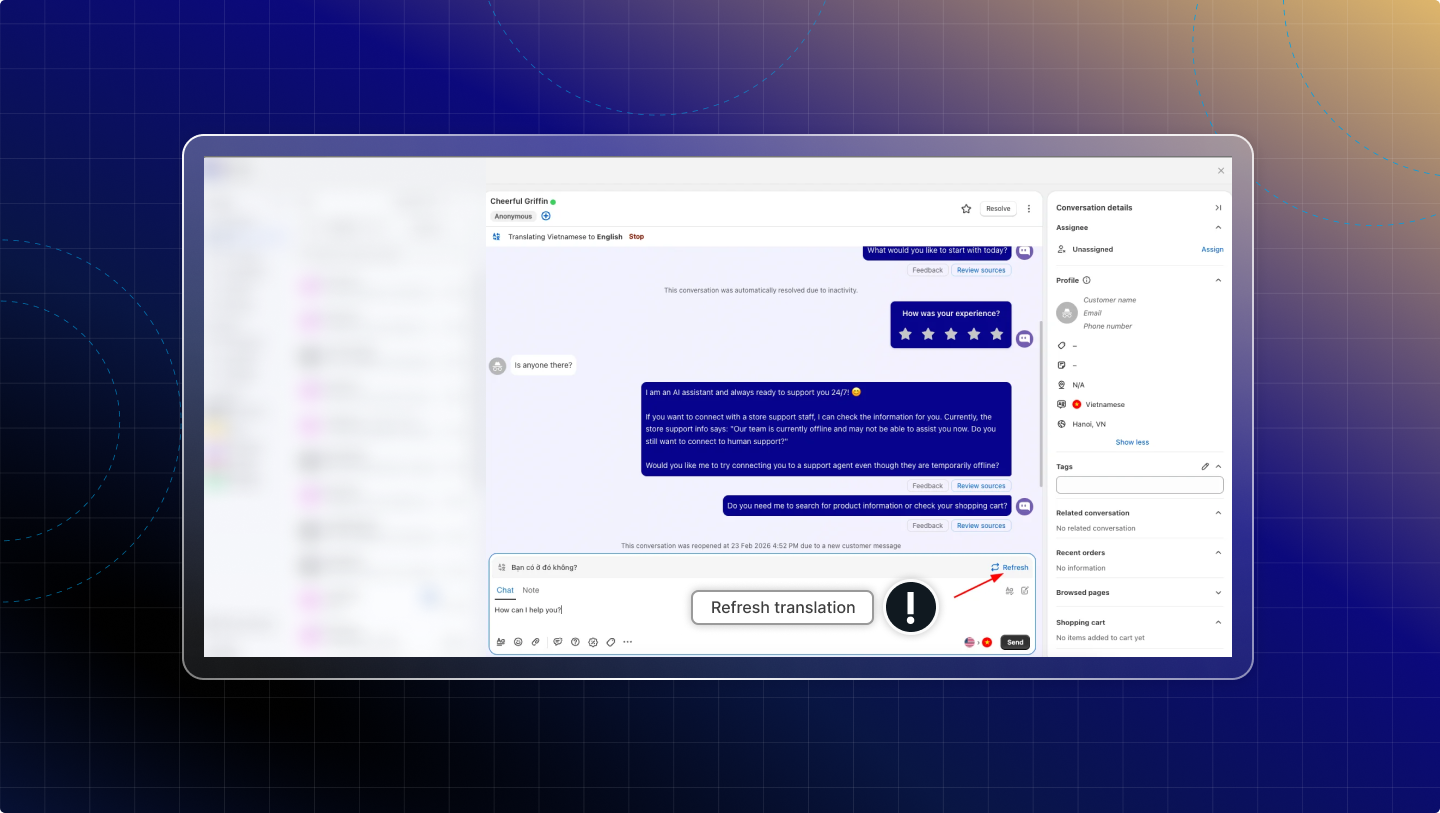
Refresh translation
When you edit the message, click Refresh to update the latest translated preview.