Proactive chat
Info
Who can use this feature?
- This feature is available for all users
What is Proactive chat?
Proactive chat sends targeted messages to website visitors before they ask questions.
Instead of waiting for customers to contact you, these campaigns reach out at key moments in their shopping journey to guide them toward purchases.
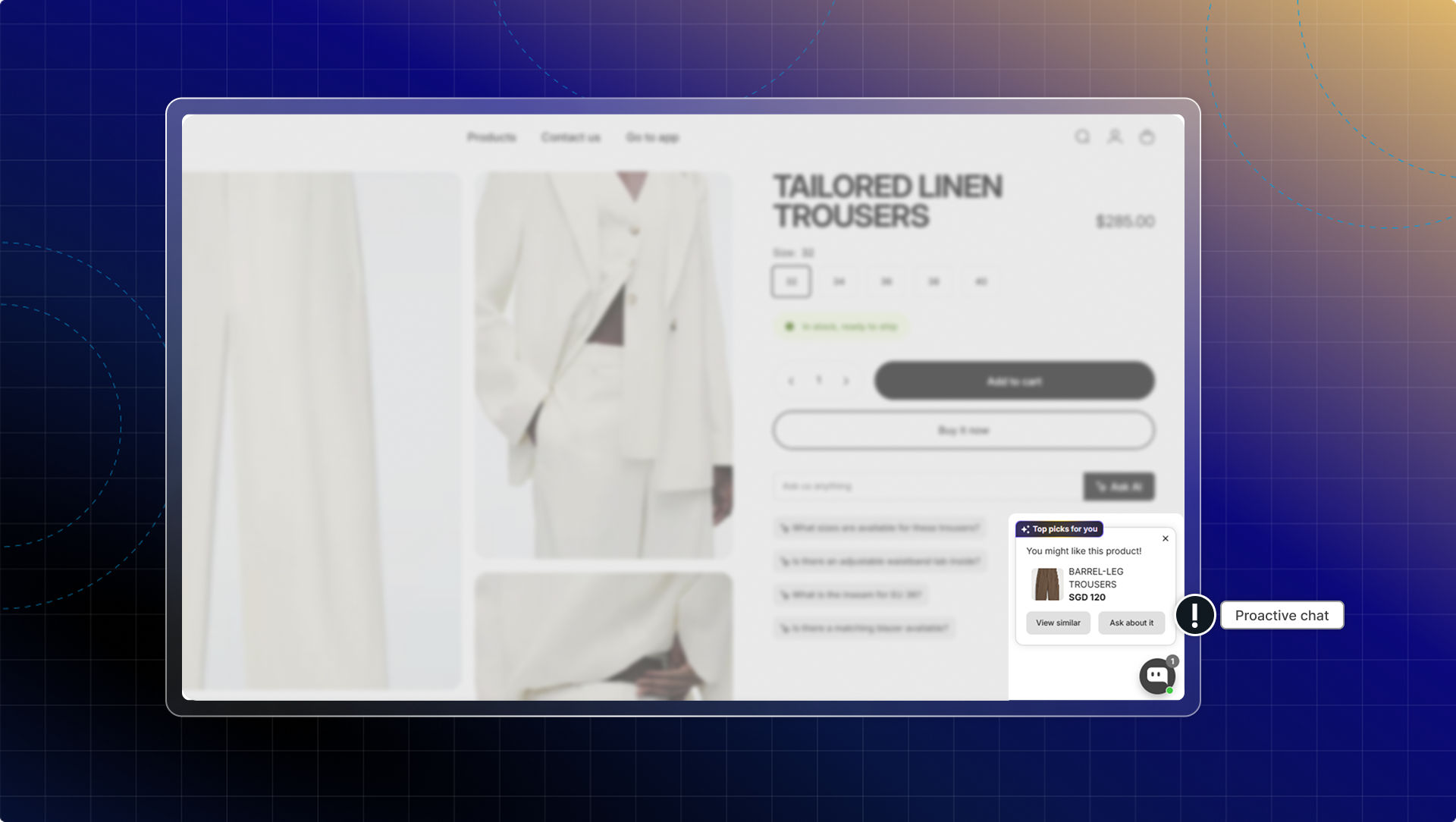
Why use Proactive chat?
- Turning visitors into customers: Welcome new visitors and guide them to relevant products instead of letting them browse aimlessly.
- Recovering lost sales: Automatically target customers who add items to cart but haven't completed purchase with incentives or assistance.
- Growing your email list: Offer exclusive discounts to visitors who subscribe to your newsletter at strategic moments.
- Increasing average order value: Recommend bestselling or complementary products when customers show buying intent.
Proactive chat templates
Chatty provides pre-built templates to help you create effective proactive chat campaigns quickly.
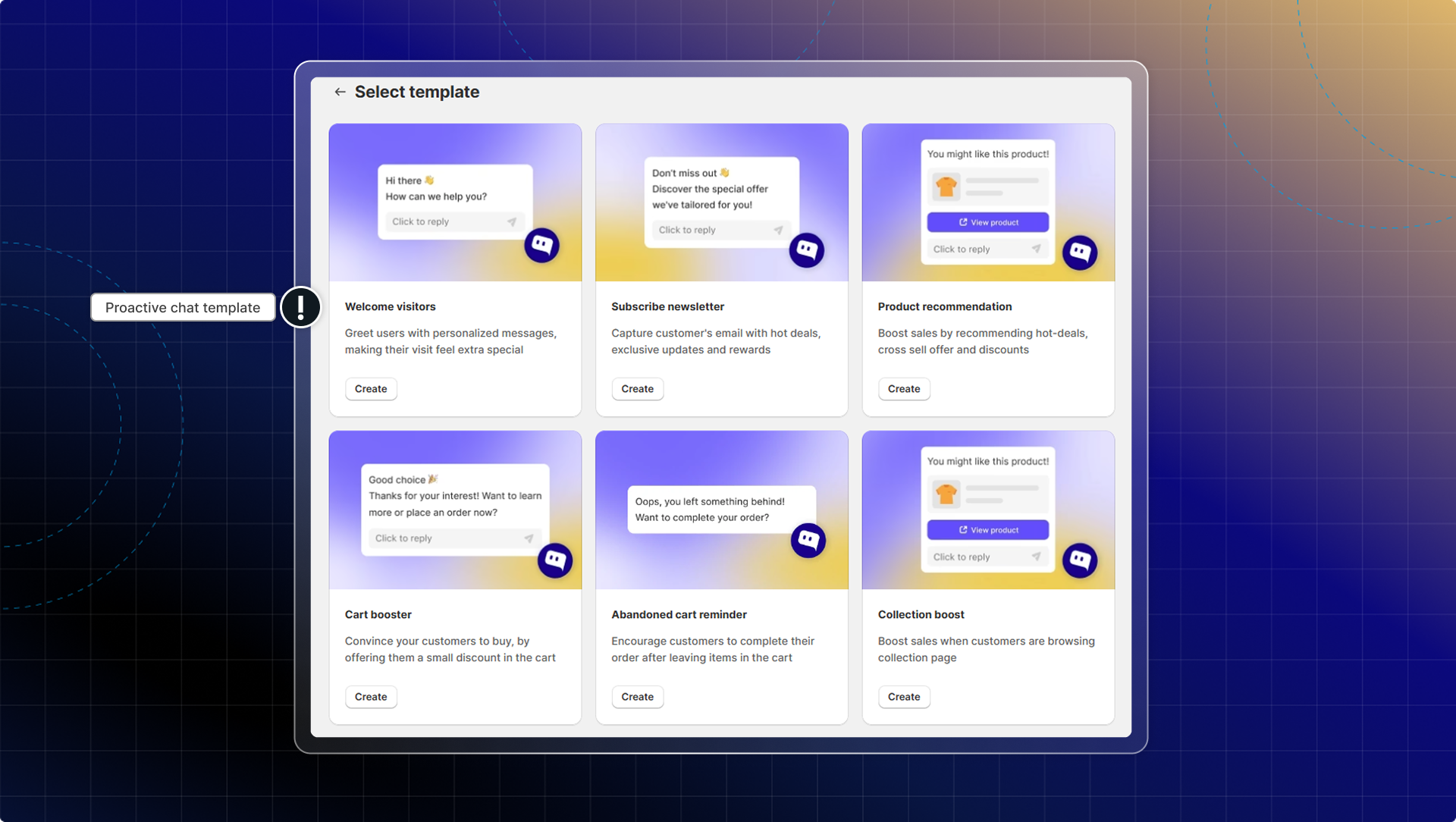
Each template is designed for specific customer scenarios and includes proven messaging that drives results.
| Template | Goal | Trigger moment |
|---|---|---|
| Welcome visitor | Greet new visitors and guide them to products | Homepage, landing pages |
| Subscribe newsletter | Capture emails with discount offers | Product pages, repeat visitors |
| Product recommendation | Show relevant products to browsing customers | Category, product detail pages |
| Collection boost | Drive engagement when customers browse your collections | Collection pages |
| Search | Assist customers actively searching for products | Search results page |
| View cart (coming soon) | Engage customers the moment they open their cart | Cart page |
| Cart booster | Target customers with items in cart | Cart page, checkout |
| Abandoned cart reminder | Recover carts by reminding customers what they left behind | After activity |
| Remove items from cart | Win back customers who remove products with a coupon or alternative | Cart page |
How to set up proactive chat
Go to Proactive chat
Click Create proactive chat
Choose your type
- Welcome visitor: Greet new visitors and guide them to products
- Subscribe newsletter: Capture emails with discount offers
- Product recommendation: Show relevant products to browsing customers
- Collection boost: Drive engagement when customers browse your collections
- Cart booster: Target customers with items in cart
- Abandoned cart reminder: Recover carts by reminding customers what they left behind
- View cart: Engage customers the moment they open their cart
- Remove items from cart: Win back customers who remove products with a coupon or alternative
- Search: Assist customers actively searching for products
Configure settings
Campaign details
- Campaign name: Enter a name to identify this campaign in your dashboard
- Activate campaign: Turn on to make the campaign live on your storefront
Targeting options
- Trigger options: When to send proactive chat
- Pages: Select which pages show this campaign (If you select specific pages, click Enter after URL to add)
- Audience: Choose who sees the campaign (all visitors or returning customers)
- Devices: Select desktop, mobile, or both
- Display time: Set when the campaign appears (after page load, scroll percentage, or time delay)
- Display duration: Choose how long the campaign stays visible
Message content
- Proactive message: Write the message that appears above your chatbox.
- Rich content: You can send product suggestions with proactive message (available in "Product recommendations" and "Cart booster")
- Chat message: Customers receive a message (similar to proactive message) when they click the teaser. Discount will be sent together with messages. (available in "Subscribe newsletter" and "Cart booster")
Activate proactive chat
- Check Preview to see how your campaign appears on your storefront.
- Click Activate to make your campaign live
Campaign priority
When multiple campaigns could show at the same time, priority is determined in two steps:
- Priority number (primary rule): Each campaign has a priority number from 1 to 10. Lower number = higher priority. Drag and drop campaigns in your list to reorder them.
- Closest to checkout (tiebreaker): If multiple campaigns share the same priority number and trigger conditions fire at the same time, the campaign with the trigger closest to a checkout action wins:
Cart Booster → Abandoned Cart → View Cart → Remove Items from Cart → Product → Collection → Search → Subscribe → Welcome
Session limit: Maximum 5 proactive chats per session. Only 1 displayed at any given time.
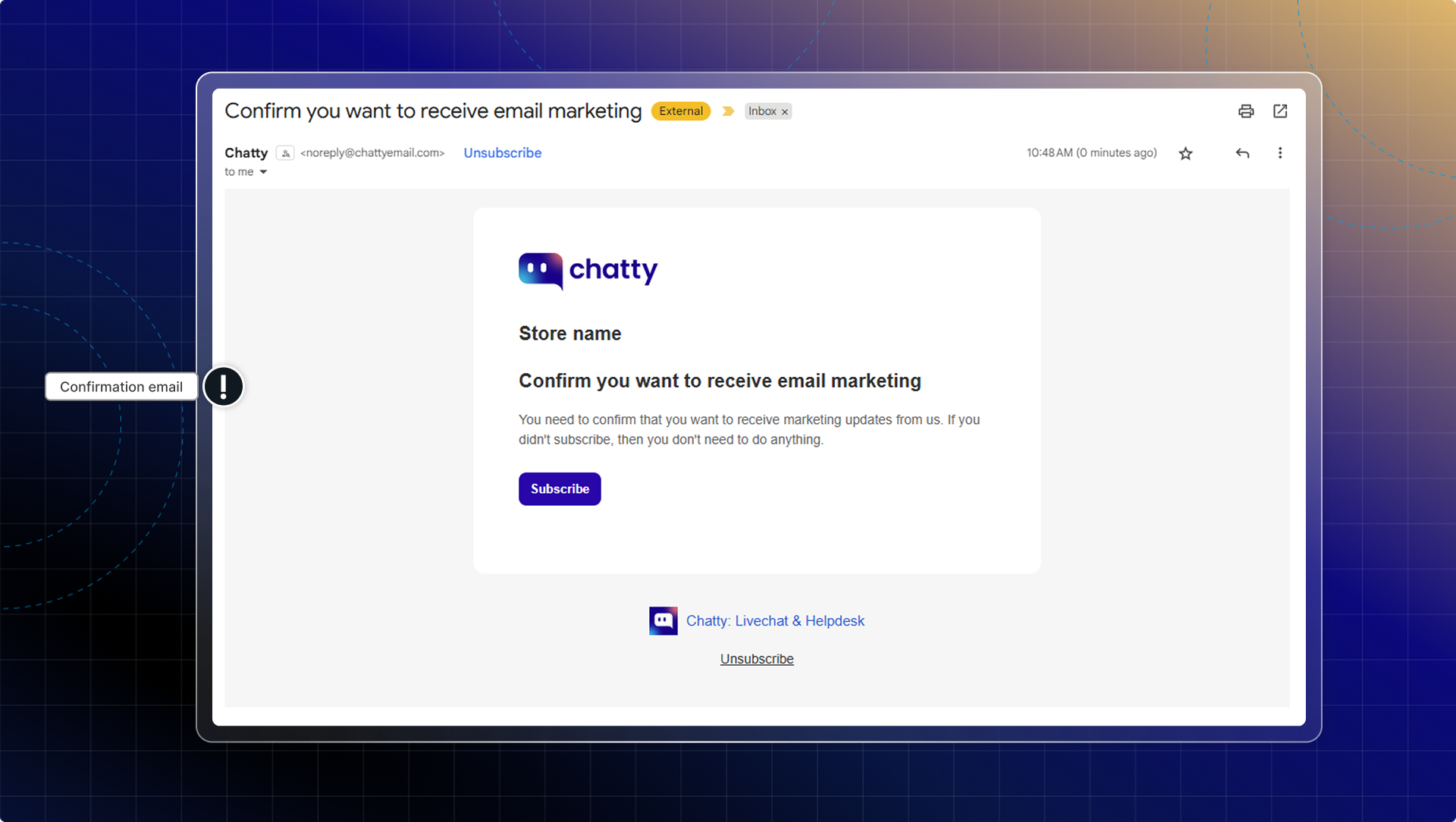
Marketing double opt-in (in Subscribe newsletter)
By enabling this option, customers will receive a confirmation email to confirm their subscription before get the discount.
Timing best practices
- Welcome messages: 5-10 seconds after page load
- Product recommendations: After 30-50% page scroll
- Cart boosters: 2-3 minutes after adding items to cart
- Newsletter signup: Before exit intent or after browsing multiple products