Online hours
Info
Who can use this feature?
- This feature is availble for all users
This helps you to set up online and offline time in chat.
You can define your working hours, break times, and holidays so customers know when they can expect a live support from your team.
Warning
Online and offline status only works when you turn on block Live chat in Chatbox style settings.
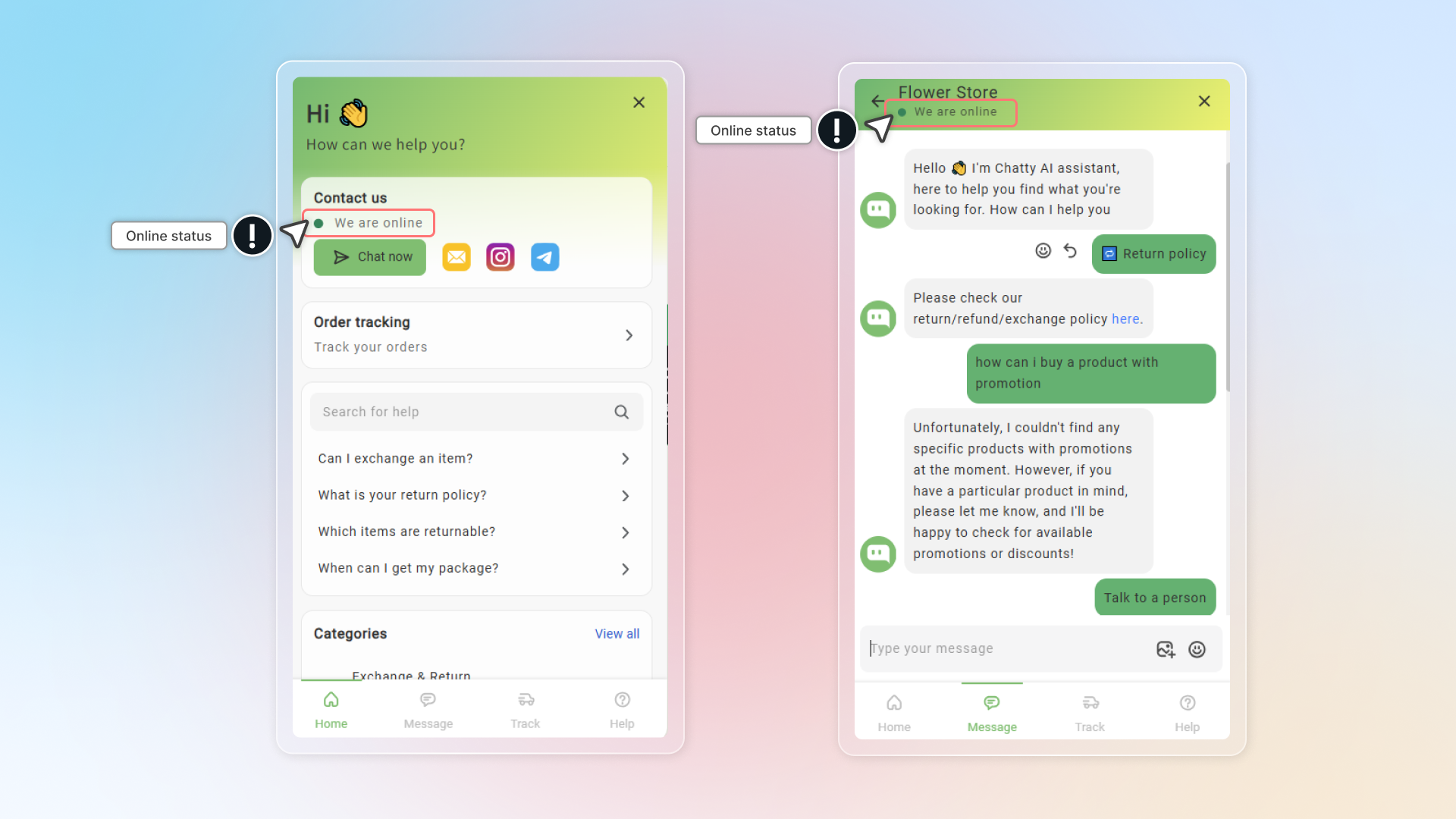
How to set up online/offline hour
Set up working hour
- 24 hours/7 days: You can be online to chat with customers all the time
- Custom time: Set up time which is suitable with your schedule
Add break time or holiday time
- Break time: offline in a short period of time during your working hour
- Holiday time: offtime for certain days
Select timezone
Select timezone to ensure that your availability displays correctly to customers in your local time
Info
If you have team members in different time zones, select the primary time zone where most support is handled.
Set up status
Select when to show online status in chatbox:
- During business hours: Shows online only during the hour you've set
- During business hours or when any agent is online: Shows online during working hour or whenever a team member is available to chat
Customize online/offline status message
Enter the message customers will see
- When you're available (default: "We are online")
- When you're not available (default: "Usually reply in a few minutes")
Click Save
You can preview online and offline status on chatbox.