Mobile app
Info
Who can use this feature?
- This feature is available for all users
With our Chatty mobile app, you can answer customer questions on the go right on your devices.
How to download mobile app
-
In app dashboard, click Install mobile app in Setup guide.
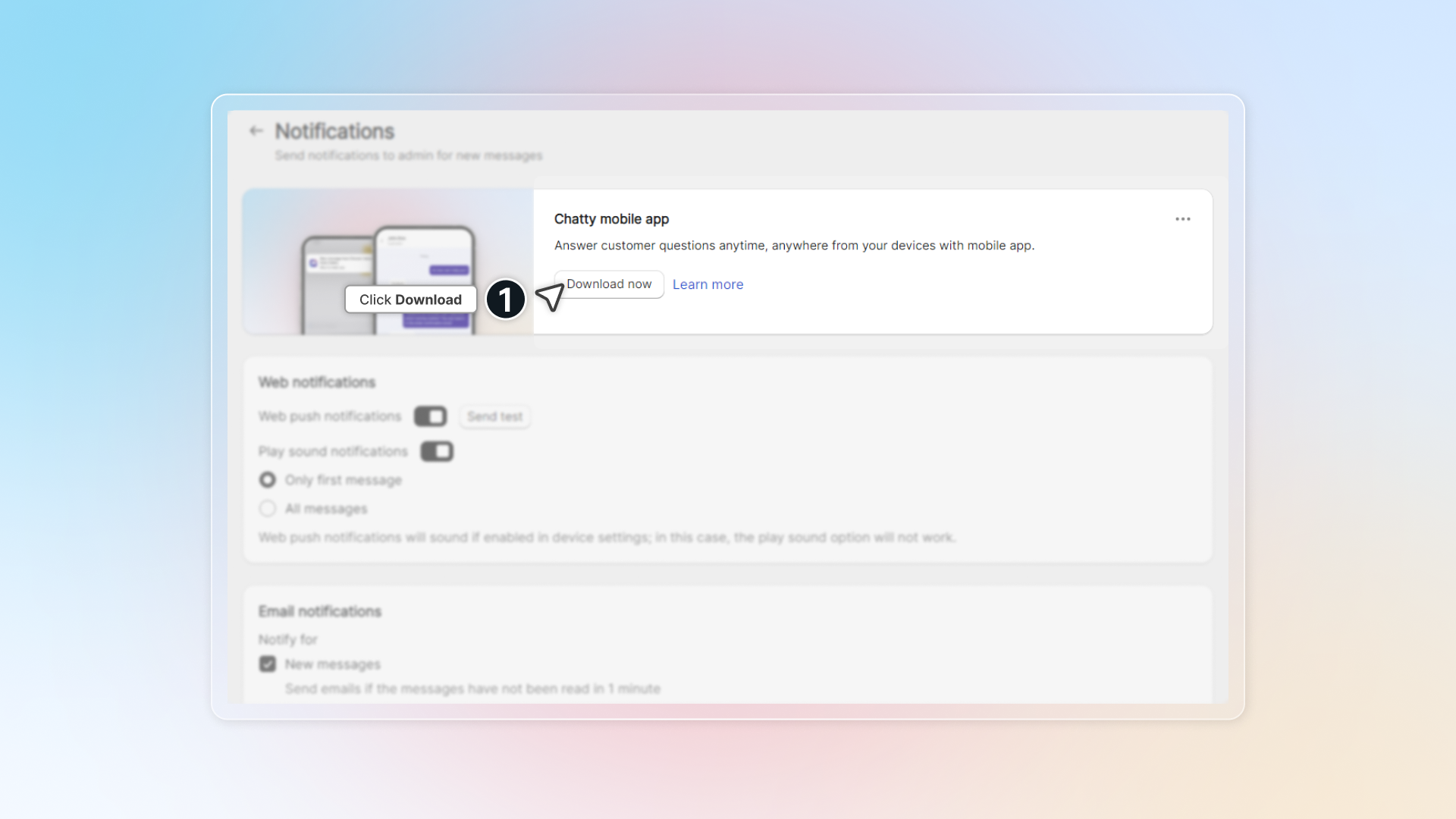
Or go to Settings -> Notifications -> Click Download now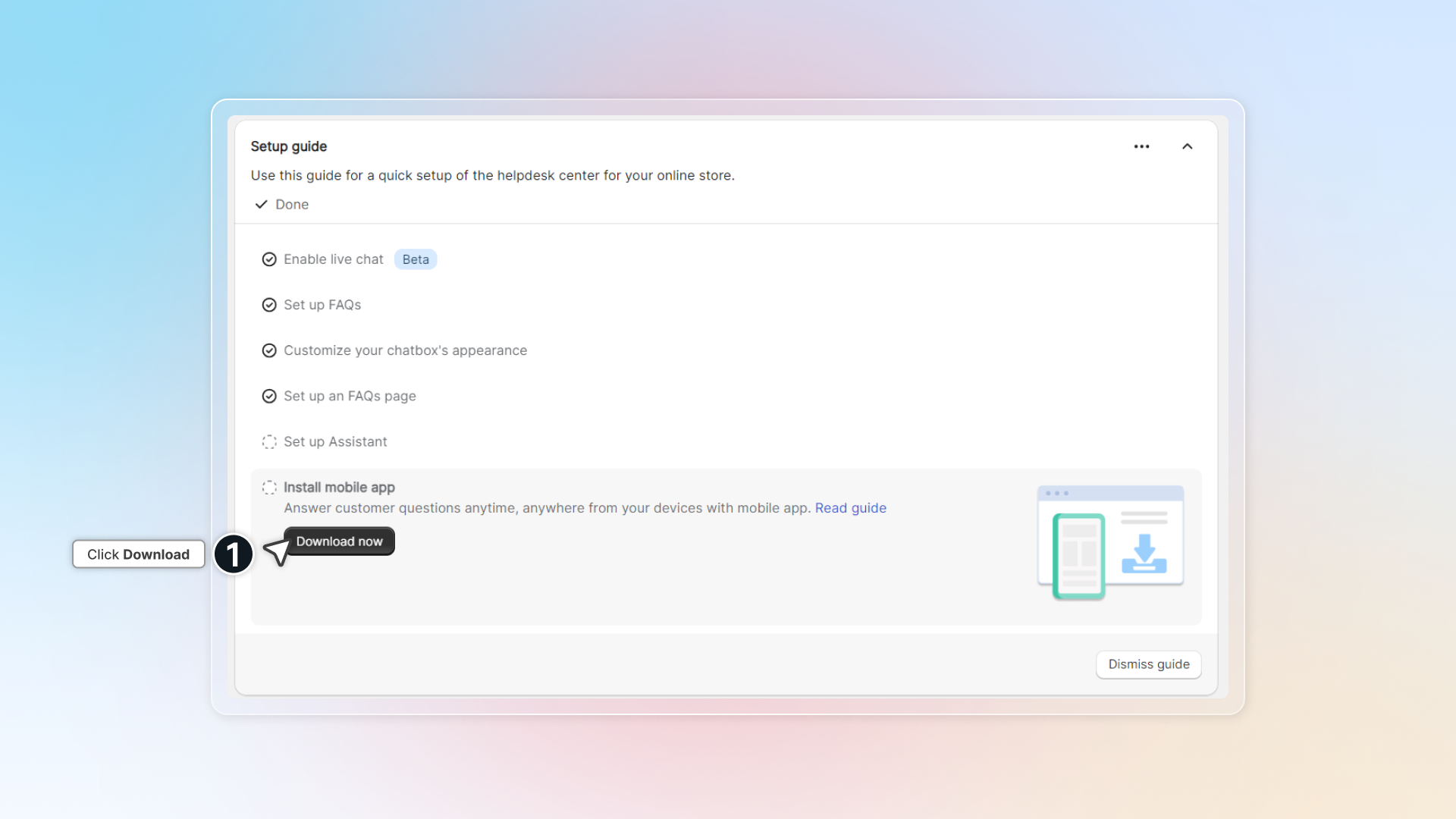
-
Click Download now
-
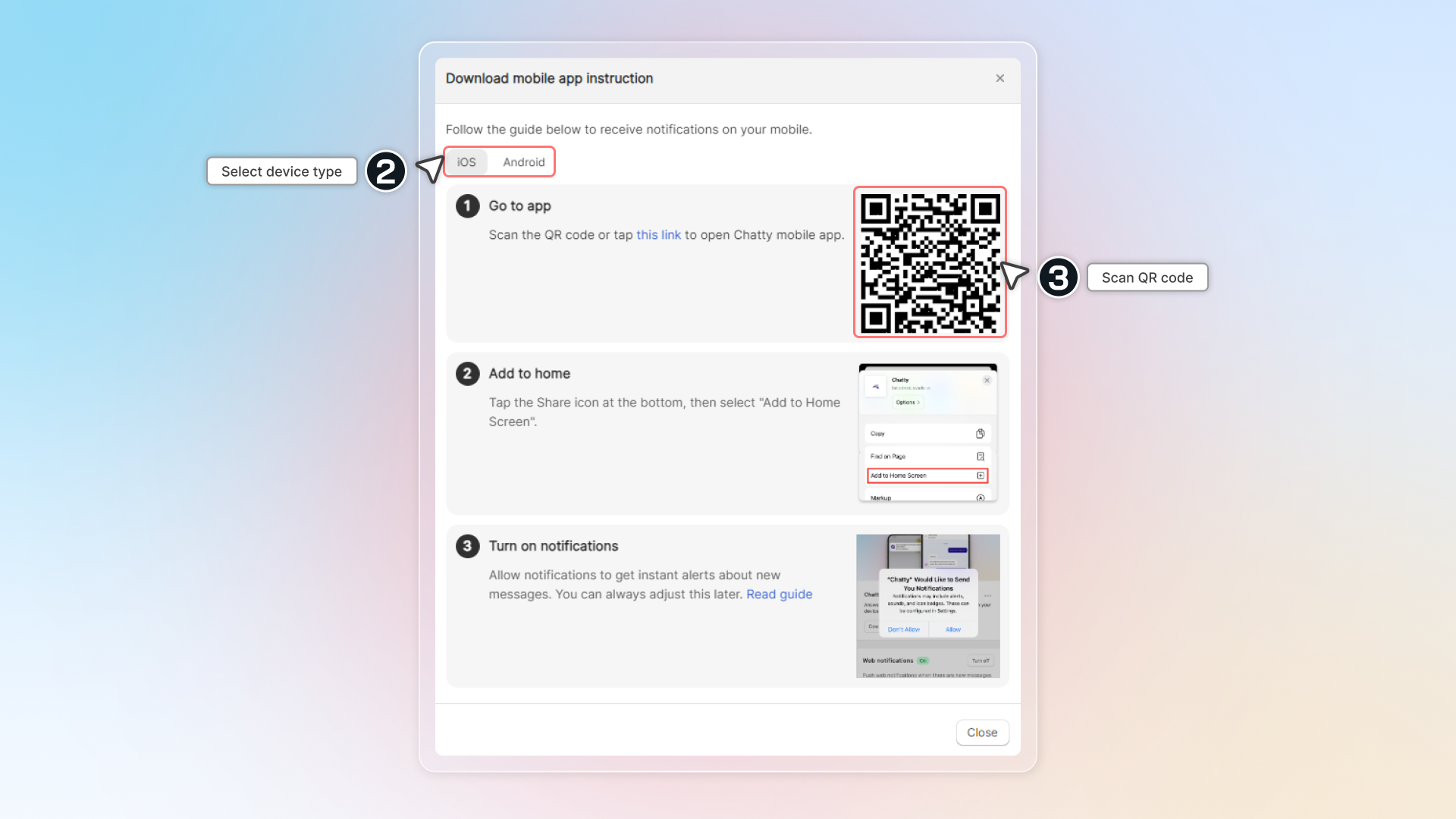
Scan QR code with your device
-
With each device and web browser, you can have different ways to set up Chatty mobile app.
In overall, follow these steps to set up- Scan and go to link
- In browser settings, click "Add to home screen"
- Add Chatty app to homescreen as an app
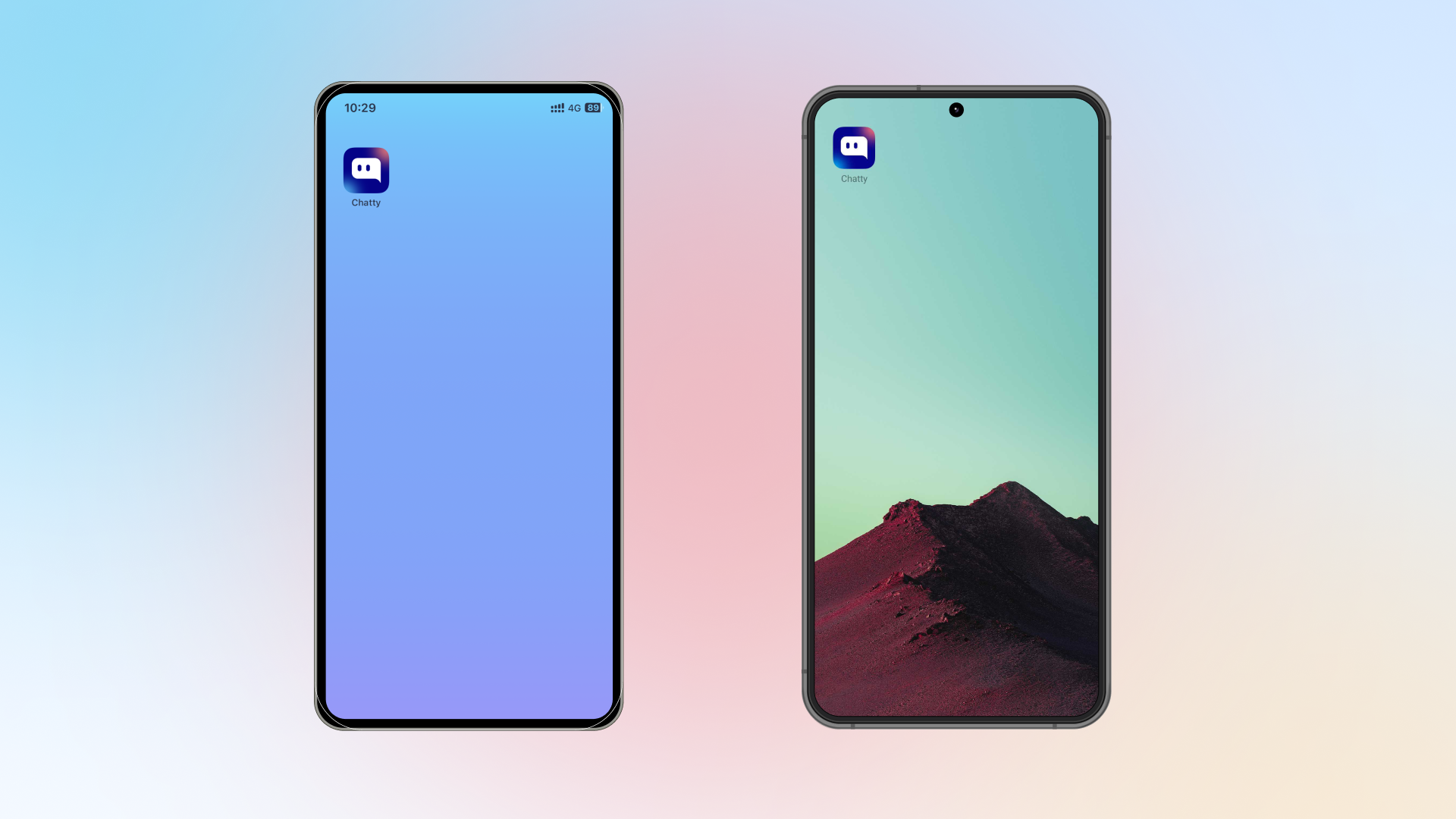
Here are detailed instructions to add app for each browser.
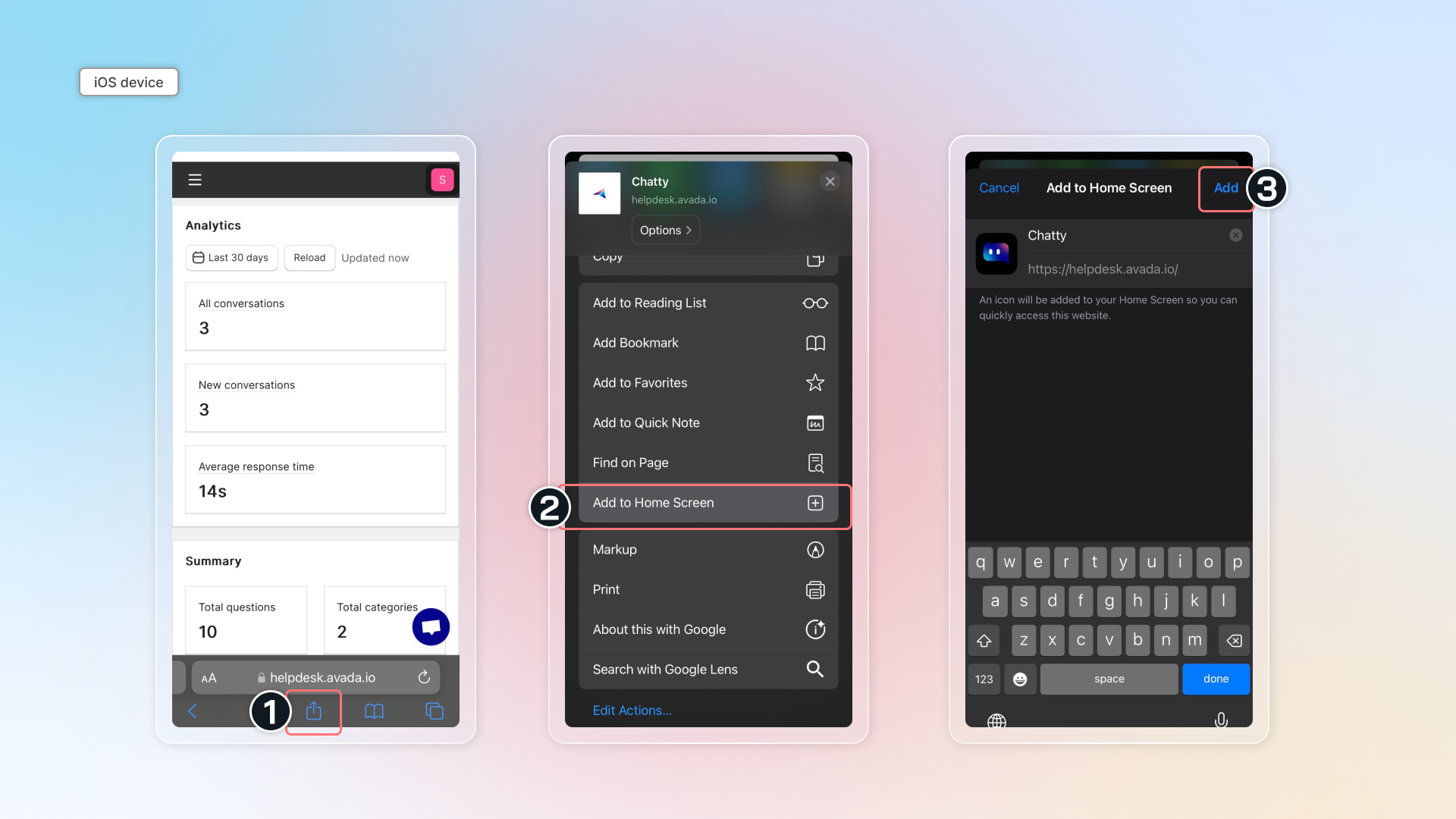
Safari (iOS device)
Go to link -> Tap share icon at the bottom -> Select "Add to Home Screen" and set up to add to your home screen.
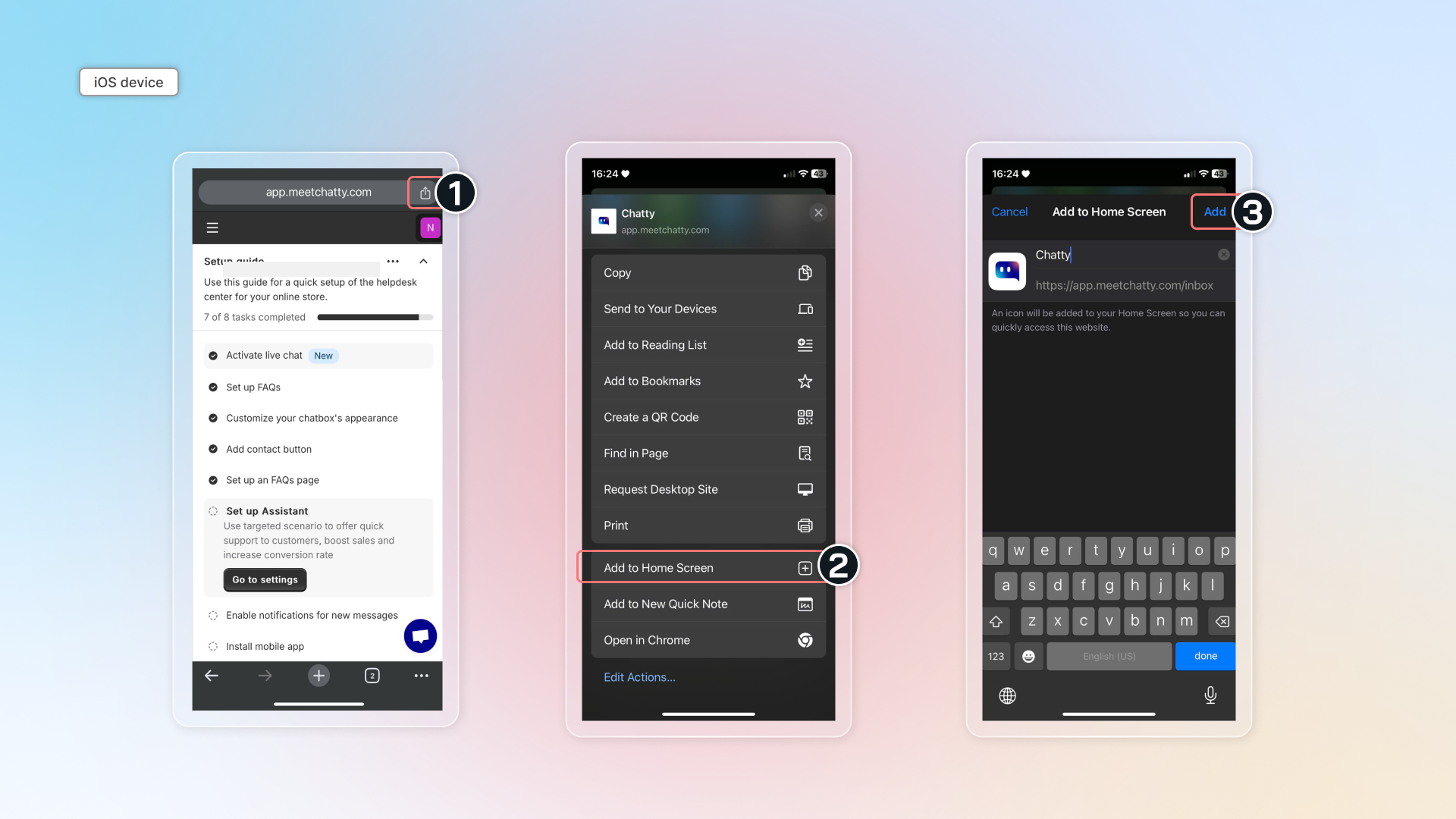
Chrome (iOS device)
Go to link -> Tap share icon on the top right -> Select "Add to Home Screen" and set up to add to your home screen.
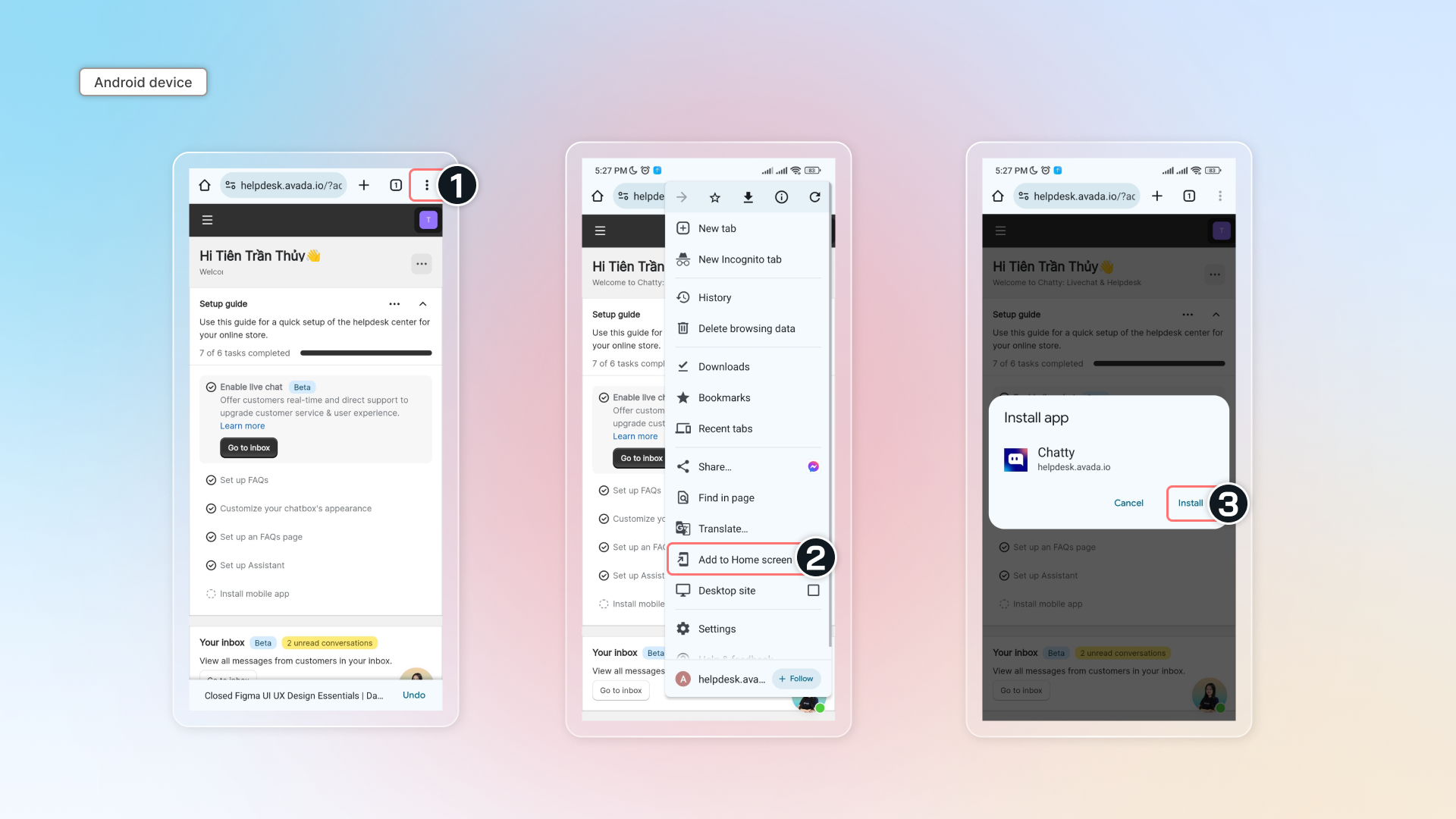
Chrome (Android device)
Go to link -> Tap top right menu icon -> Select "Add to Home Screen" and set up to add to your home screen.
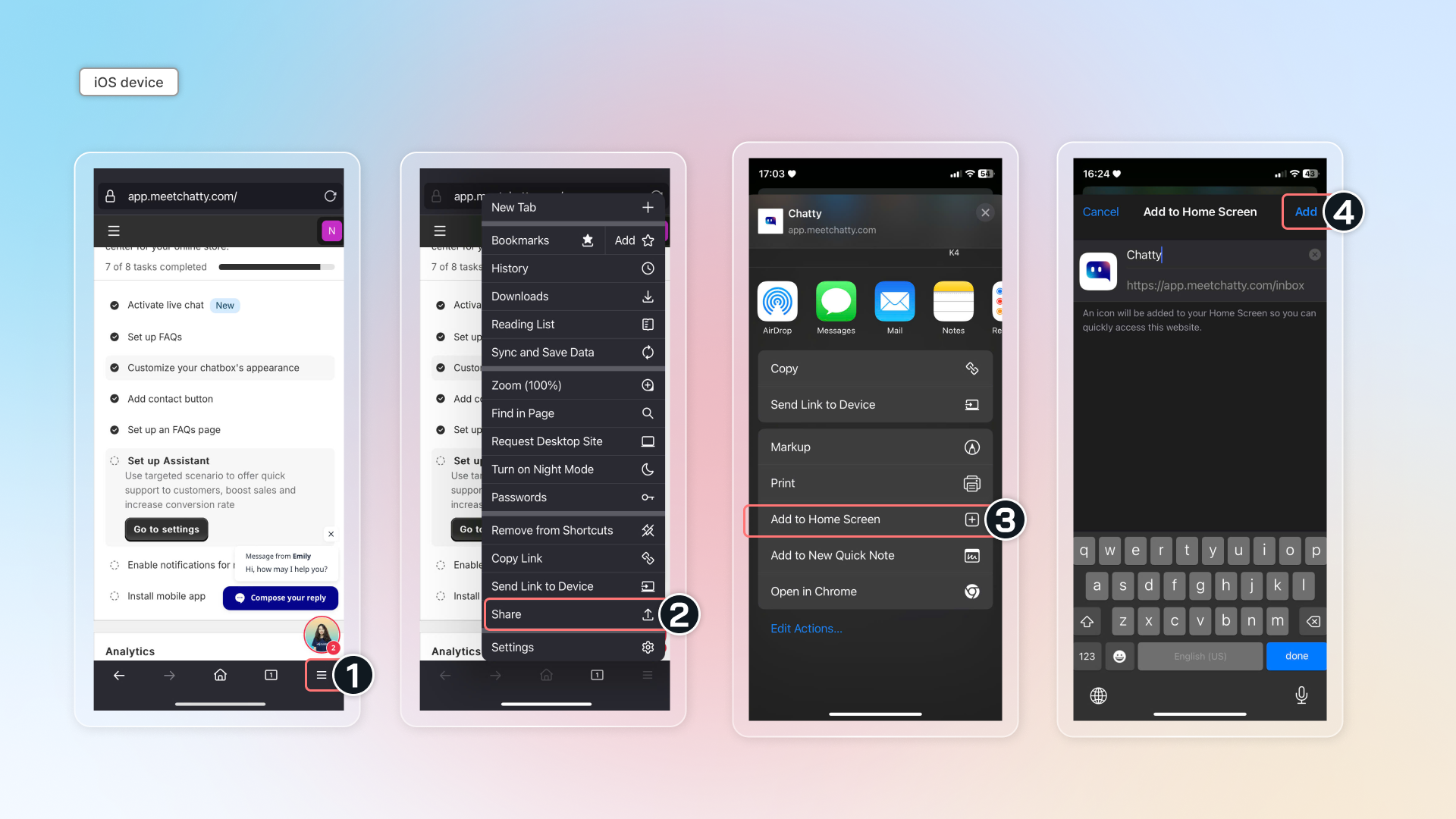
Firefox (iOS device)
Go to link -> Tap bottom right menu -> Select "Share" -> Select "Add to Home Screen" and set up to add to your home screen.
Info
If you're using other browsers, please contact our support team in app for assistance.