Quick replies
Info
Who can use this feature?
- This feature is available for all users
Quick replies help users set up messages which are common for merchants to answer customers.
Create quick replies
-
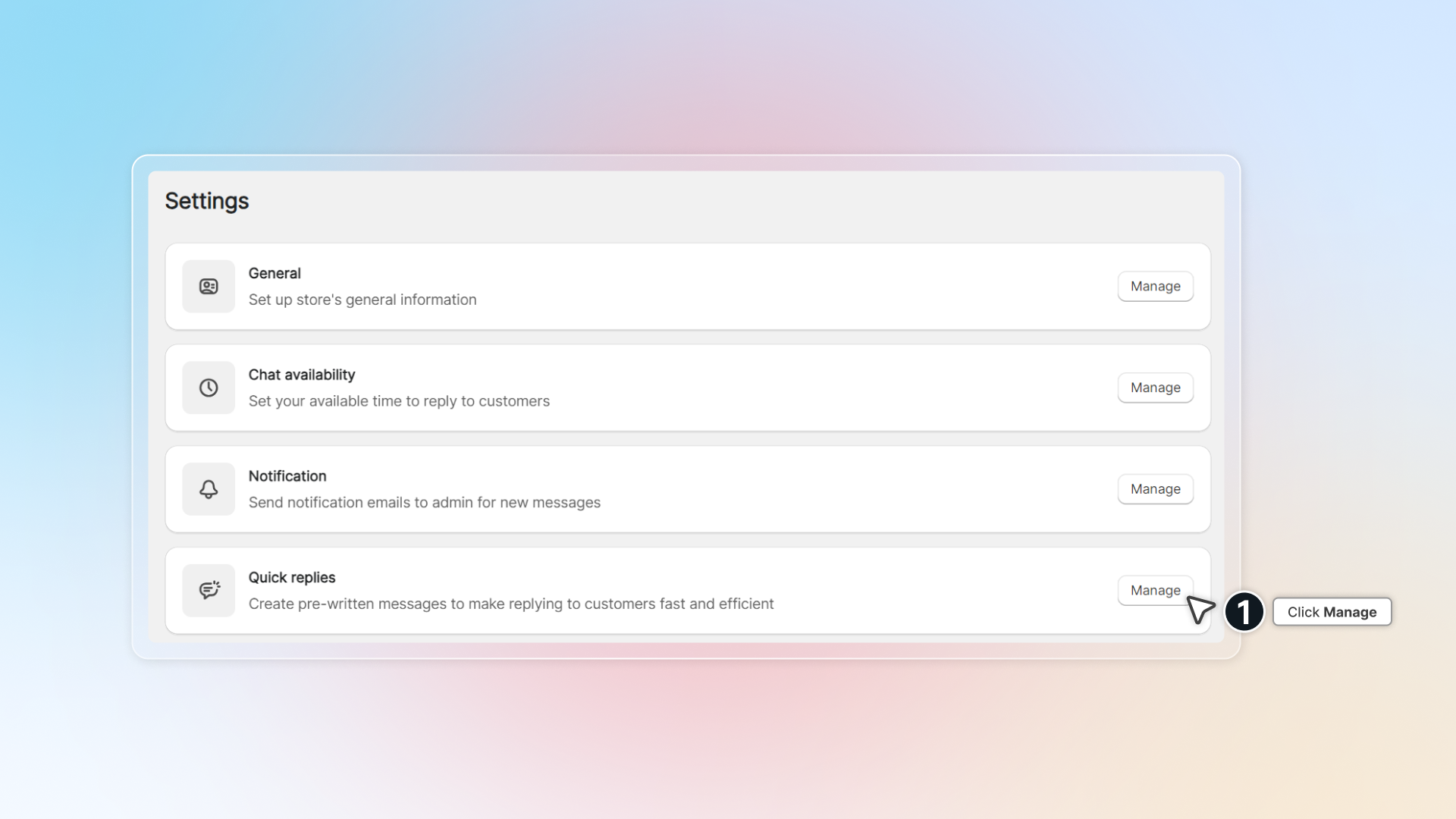
Go to Settings -> In Quick replies, click Manage\
-
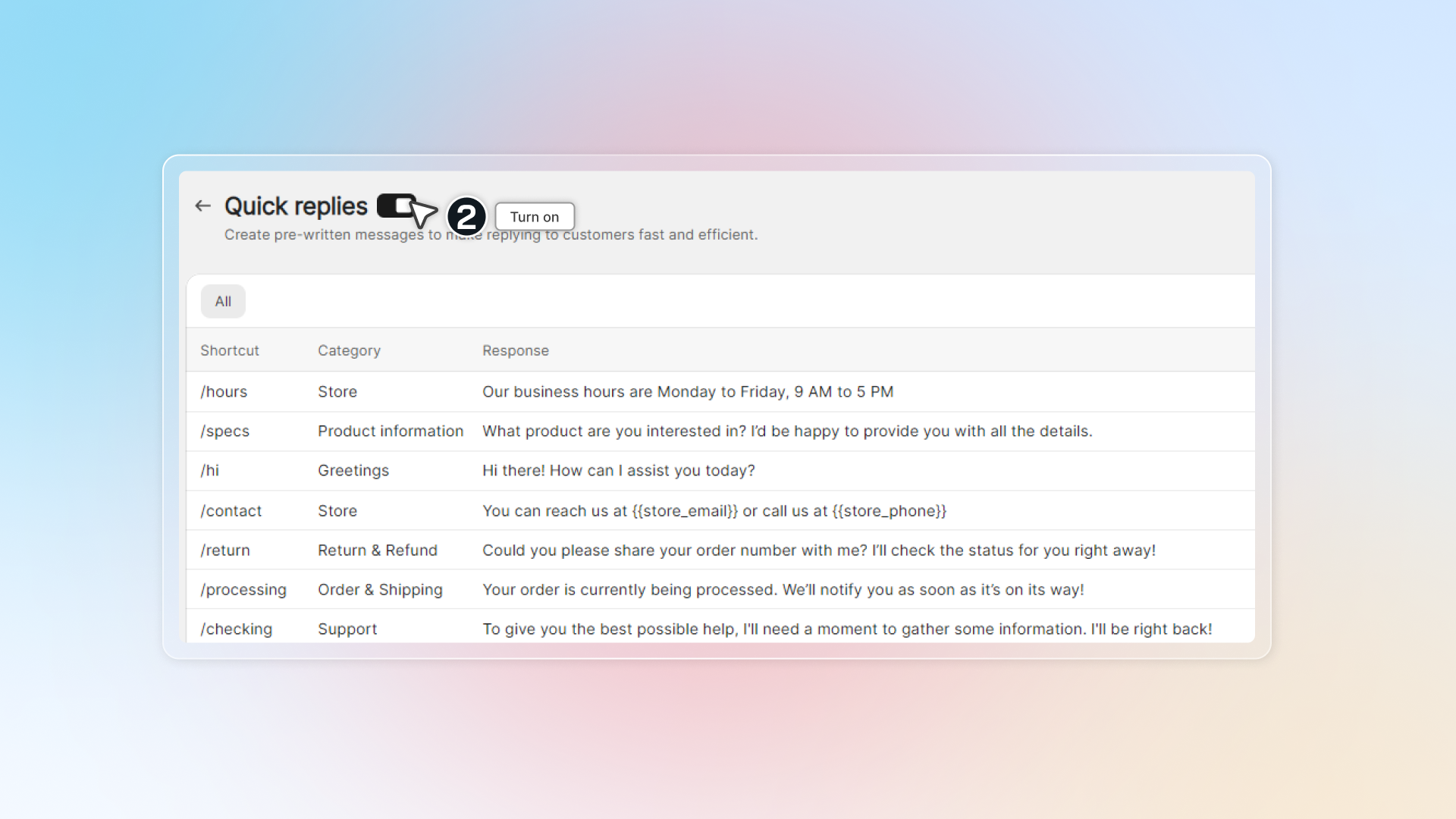
Turn on Quick replies to enable quick replies in chat
-
Click Create quick reply
-
Enter shortcut, category and your response.
You can enter category name and click Add to add new category.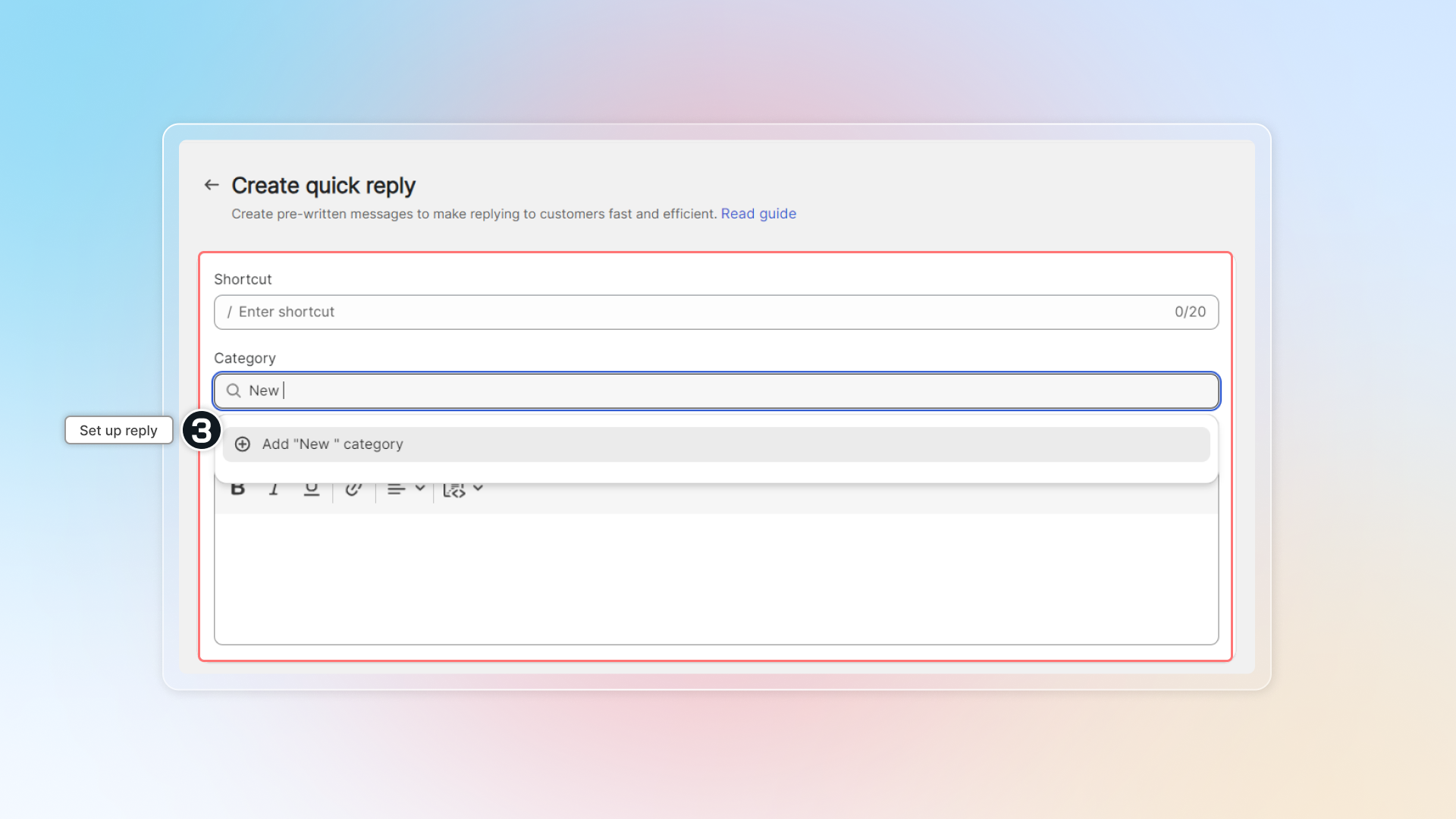
-
Click Save
-
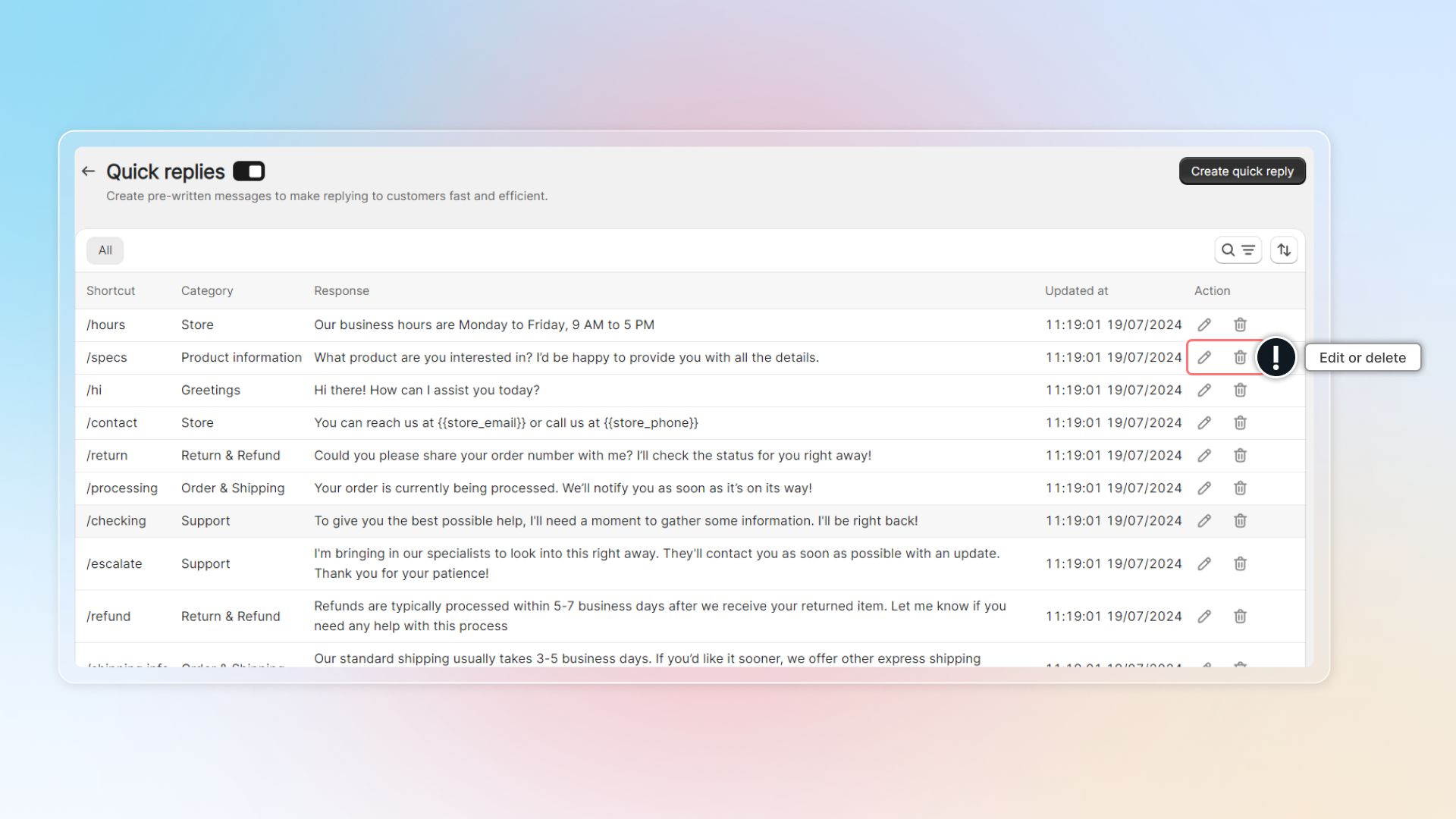
You can edit or delete quick replies.
Use quick replies in chat
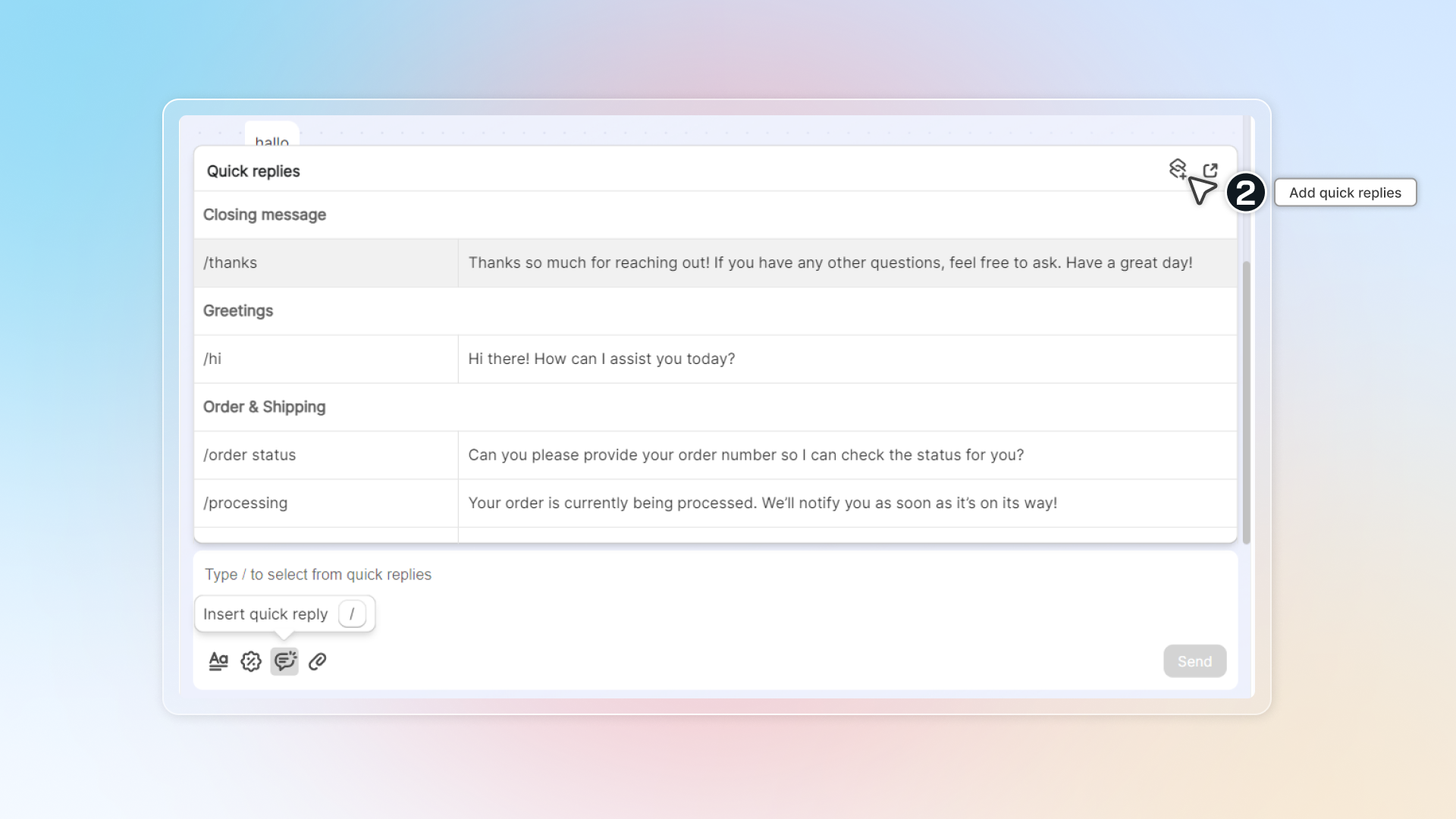
In conversation, click icon or type / to get access to quick replies. Then simply click to select your quick replies.
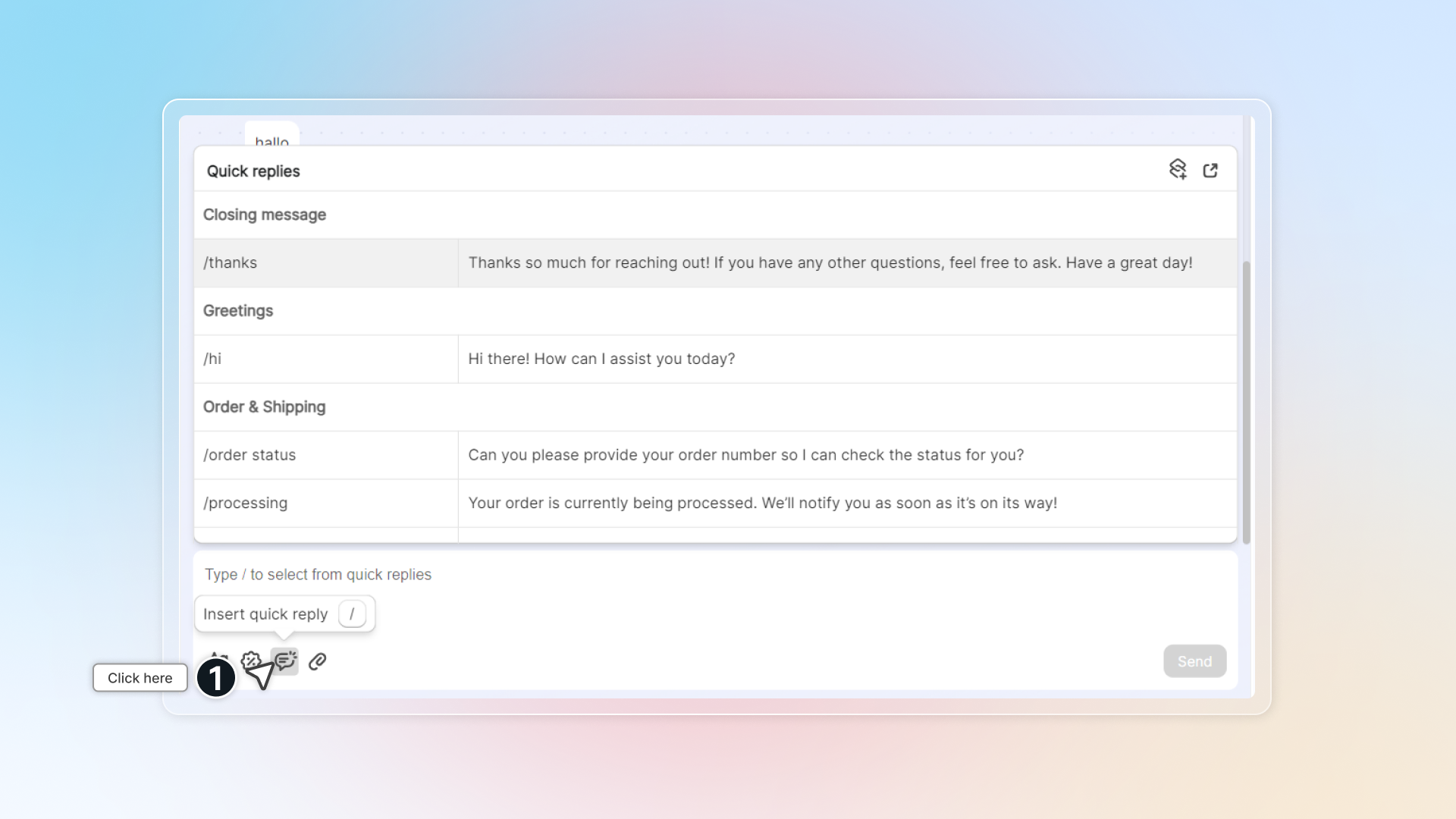
In chat, click icon to add new quick replies, or go to quick replies settings by clicking icon .